End-of-Life Notice: Surveys for Jira Service Management is no longer available on the Atlassian Marketplace and can no longer be purchased. The app will reach its official end-of-life on October 30, 2026.
Customers with an active subscription will retain full access to the app, including support and maintenance, through the end of their current paid subscription term. In some cases, this term extends beyond October 30, 2026. Access will remain available until the subscription term concludes, after which the app will no longer be operational for that account.
To ensure a smooth transition, we recommend exporting your survey data and evaluating alternative solutions ahead of your subscription end date. You can retrieve your survey responses via API, or export your CES, CSAT, and NPS reports using the Export All Scales feature.
If you have any questions regarding your subscription end date or the transition process, please contact our support team.
Summary
I have configured the app but the bot is not posting any comments or survey links after the tickets are resolved.
Environment
-
JIRA Cloud
Diagnostics Steps
The survey bot does not post a comment after the ticket is resolved.
Cause
Automation may not post comments caused by the Jira instance not meeting some key prerequisites that prevent automation from working.
Another possibility is that the automation itself is not configured correctly.
Resolution
Ensure automation prerequisites are met
As noted on the Setting up the survey automation page under "Prerequisites", automation will only work with these conditions:
-
Issues are on JSM cloud instances.
-
Issues have a valid request type.
-
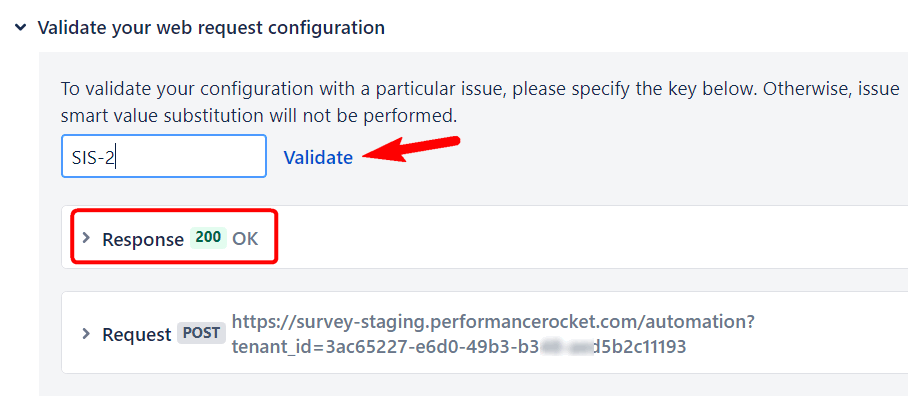
A Jira issue key must be used for validating the automation. You can use any Jira issue or create a test/dummy issue as it is only being used for validation.
Ensure automation is properly configured
Referring again to the Setting up the survey automation page under "Survey workflow configuration steps":
-
Ensure the automation URL is correct.
-
Ensure the trigger is correct for your workflow.
-
Use the app's validation feature to ensure web requests are working.