
-
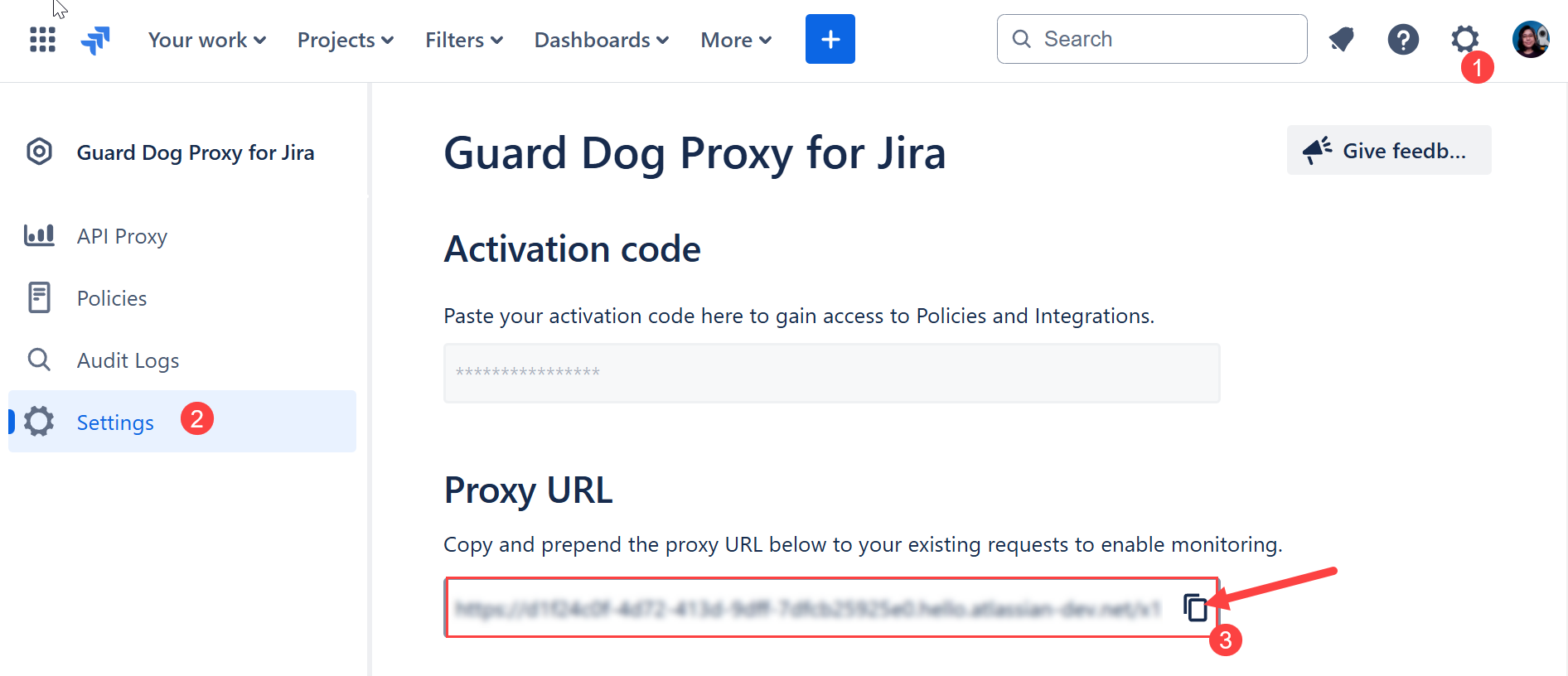
Navigate to the Jira top menu and click Settings (⚙️) > Apps > Guard Dog Proxy for Jira.
-
Click Settings on the left sidebar.
-
Copy the proxy URL from the text field or click the copy icon to copy it to the clipboard.
-
Share the proxy URL with users. Users can follow the steps Making calls via the proxy to learn more.
Next step: